
- 0
- 998 words
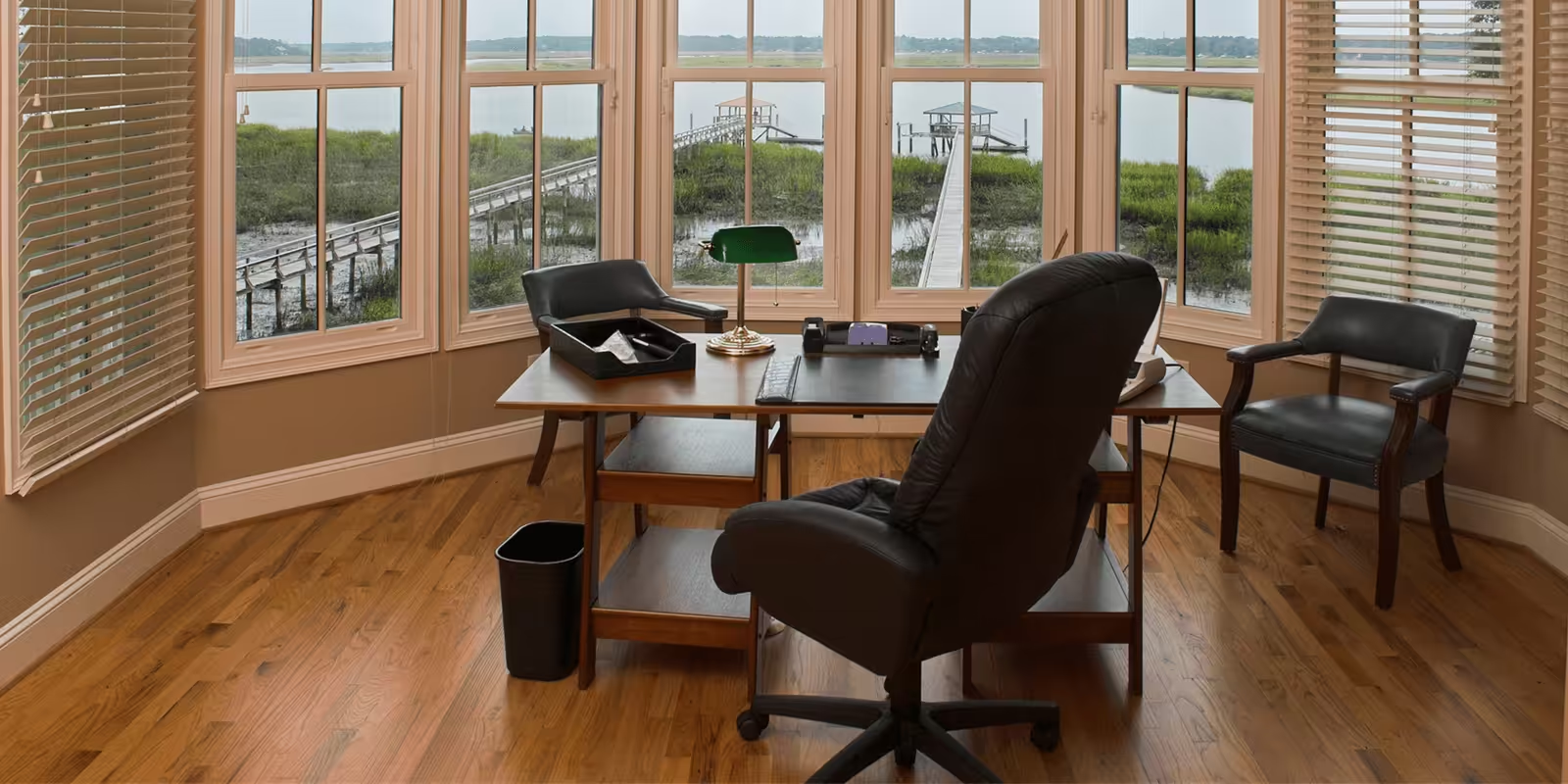
Creating a productive home office starts with improving your environment. Your workspace affects your focus, posture, and energy. Even minor changes can boost comfort and efficiency. Whether you work full-time from home or just handle tasks a few hours a day, your setup matters.
According to Neon Shapes, many remote workers fail to reach their peak productivity because they overlook how much the workspace itself affects performance. Let’s fix that with simple, smart adjustments.
Choose the Right Location
Pick a space with minimal distractions. Avoid high-traffic areas like the living room or kitchen. A spare room with a door is ideal, but if that’s not possible, choose a corner with limited noise and interruptions.
Use room dividers or shelves to create a sense of separation from the rest of your home. This helps your brain switch into work mode.
Invest in a Proper Desk
Don’t work from the couch or bed. A real desk supports better posture and helps you focus. Choose a desk with enough surface area for your laptop, monitor, and accessories.
A standing desk or an adjustable desk gives more flexibility. If that’s out of budget, use a desk riser or stack items to lift your monitor to eye level.
Get a Supportive Chair
Your chair affects your back, neck, and energy levels. A good chair should offer lower back support, adjustable height, and a padded seat.
Sit with feet flat, knees at a 90-degree angle, and elbows level with your desk. Use a cushion or lumbar roll if needed.
Improve Lighting
Poor lighting strains your eyes and lowers alertness. Place your desk near a window if possible. Natural light improves mood and helps you stay awake.
Add a desk lamp with adjustable brightness. Use bulbs with a color temperature between 4000K to 5000K for a daylight-like feel.
Organize Your Cables
Messy cables can distract and create clutter. Use cable trays, clips, or Velcro ties to bundle wires neatly under your desk. Keep power strips out of sight but easily accessible.
Label chargers and cables if you use multiple devices. Small changes like these reduce stress and make your setup look clean.
Use Dual Monitors (If Needed)
If your work involves multitasking, dual monitors improve workflow. Position them side by side at the same height. Use a monitor arm if space is tight.
Set your main screen in front of you, with the second angled slightly to one side. This setup reduces neck strain and boosts efficiency.
As Blogging Fort explains in one of their workspace optimization articles, small layout upgrades like these help professionals work faster without burnout.
Reduce Clutter
Clutter reduces focus and adds visual stress. Keep only essential items on your desk. Store other tools and documents in drawers or boxes.
Use vertical storage like shelves or wall grids to free up surface space. Declutter weekly to maintain a clean and usable area.
Control Background Noise
Noise disrupts workflow. If your space is loud, use noise-canceling headphones. White noise machines or calming background music also help mask distractions.
Add soft items like rugs or curtains to absorb sound. If possible, use weather stripping or door sweeps to block outside noise.
Set Up Ergonomic Accessories
Simple accessories improve comfort:
- Use a laptop stand to lift your screen
- Try an external keyboard and mouse
- Add a footrest if your feet don’t rest flat
- Use a wrist rest for long typing sessions
These tools protect your wrists, shoulders, and eyes from strain.
Optimize Internet and Tech
A weak internet connection slows work and adds frustration. Use a wired connection if possible. If using Wi-Fi, position your router near your desk or use a signal booster.
Keep your software and devices updated. Store files in the cloud for backup and easy access. Use secure passwords and antivirus software to protect work files.
Add Personal Touches
Your home office should feel like your space. Add framed prints, a desk plant, or color-matching stationery. These small personal items create a welcoming vibe.
Choose functional decor that also improves mood. Plants like snake plant or pothos clean air and need little care.
Improve Air Quality
Good air improves alertness and reduces fatigue. Open windows daily for ventilation. Use an air purifier if the space feels stuffy.
Avoid strong-smelling candles or sprays. Instead, use natural scents like citrus or peppermint essential oils to improve focus.
Set Boundaries
If you live with others, let them know your work hours. Use visual cues like headphones or a closed door to signal that you’re busy.
Set break times and stick to them. Use that time to move, eat, or hydrate. This helps prevent burnout and keeps your mind fresh.
Use Storage Wisely
Keep storage functional. Use bins, boxes, or labeled drawers to separate work supplies. Group items by type: tech, documents, stationery.
Review your storage monthly. Remove items you don’t use. Efficient storage saves time and helps you stay organized.
As Hub Blogging shares in a recent piece, simplified storage systems prevent decision fatigue and support consistent work habits.
Create a Routine
Start your day at the same time. Tidy your desk before logging in. Have a short prep routine—like making tea or reviewing your to-do list—that tells your brain it’s time to work.
End the day with a cleanup. Close tabs, shut down your computer, and plan tasks for the next day. These habits help you switch off and avoid work bleeding into personal time.
Track and Adjust
Pay attention to what’s working and what isn’t. If a chair causes pain or lighting feels harsh, change it. Improving your home office is an ongoing process.
You don’t need to buy everything at once. Start small. Each upgrade builds a better workday.
ConclusionYou spend hours in your home office. Making it functional, comfortable, and personal improves more than just work—it improves your health and focus. Apply changes one by one, and over time your space will support better habits.
Author

Related Posts

Barnes Electricians: Reliable Electrical Solutions for Homes and Businesses in London
- 0
- 1,094 word
Finding experienced Barnes Electricians is important for homeowners, landlords, and businesses that need safe, dependable, and professionally maintained electrical systems. Barnes is a...
Read out all
Carpet Shop Near Waltham Abbey
- 0
- 454 words
Choosing the right carpet can completely transform your home, adding warmth, comfort, and style to every room. If you’re searching for a...
Read out all
Flooring Shop Enfield
- 0
- 514 words
Choosing the right flooring can completely transform the appearance, comfort, and value of your home or commercial property. Whether you’re renovating a...
Read out allReshaping the Bank Holiday: From Garden Oasis to Indoor Healing, Starting an All-Scene “British Home Staycation” Paradigm
- 0
- 846 words
As the May breeze brushes along the banks of the Thames, British residents welcome one of the most anticipated moments of the...
Read out all
How Modern Property Trends and Energy Efficiency Are Shaping Brisbane Living
- 0
- 513 words
Brisbane’s property market continues to evolve as both investors and homeowners adapt to changing lifestyle expectations and rising energy awareness. Today, real...
Read out all
Mayfair London Dry Cleaners – Premium Textile Care
- 0
- 1,074 word
Luxury garments, tailored clothing, and fine household fabrics require a level of maintenance that goes far beyond ordinary home washing. In one...
Read out all